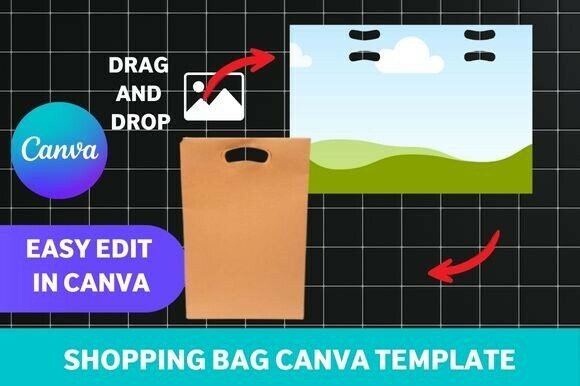
Shopping Bag Canva Template: Design Your Own Brand Packaging
Elevate Your Packaging Beyond Generic Solutions
Walking into a boutique or receiving a thoughtfully wrapped gift often starts with the packaging. That first physical touchpoint—the bag itself—communicates volumes about your brand's attention to detail and perceived value. For small businesses, event planners, and independent creators, investing in custom packaging traditionally meant expensive minimum orders and long lead times. A Shopping Bag Canva Template changes that dynamic entirely. It's a digital design asset—a pre-formatted, editable file—that allows you to create professional, print-ready shopping bags using the accessible Canva platform. Think of it as a foundation for your packaging design, providing the structure and layout while granting you complete creative control over the final aesthetic.
This particular template isn't just a blank outline. It's crafted with a specific visual personality in mind. The style leans towards modern typography and clean lines, offering a sophisticated yet approachable feel. It avoids overly ornate details, making it incredibly versatile. Whether your brand identity is minimalist, rustic, or boldly contemporary, this template acts as a neutral canvas. Its strength lies in its clean layout and balanced composition, ensuring that when you add your logo design and brand elements, they become the focal point without competing with unnecessary graphical noise. The overall appeal is one of polished professionalism, achievable without needing advanced design skills.
Practical Applications for Your Business and Events
The true value of this design asset is realized in its application across a spectrum of projects. For boutique packaging, it transforms a simple carrier into a branded experience. Imagine a local soap maker or a candle artisan presenting their products in a bag that features their script font logo and a subtle brand pattern. For retail stores, it offers a cost-effective way to refresh seasonal packaging or create special bags for VIP customers. The template's high-resolution output ensures colors print crisply and details remain sharp, contributing to that premium feel customers associate with established brands.
Beyond commerce, the applications are equally compelling. Wedding planners and individuals organizing milestone events can use it to design cohesive event gift bags. It allows for the integration of wedding stationery fonts, date motifs, and color palettes, ensuring the packaging is a seamless extension of the invitation suite. Content creators and bloggers might use it to package merchandise, creating a tangible brand touchpoint for their audience. The key is that the template facilitates brand consistency. Using the same typeface and color scheme from your website and social media graphics on your physical packaging reinforces brand recognition and builds a more unified identity.
Customizing with Confidence in Canva
Working with the Shopping Bag Canva Template is designed to be intuitive. Upon your instant digital download, you receive a link that opens the template directly in Canva. This is crucial—it means you're using a tool many are already familiar with, eliminating a steep learning curve. You can immediately begin swapping out the placeholder text with your business name, tagline, or event details. Changing colors to match your brand identity is a simple click-and-select process.
A critical step in customization is font pairing. The template may come with suggested typefaces, but you have the freedom to choose your own. This is where understanding basic visual hierarchy matters. Your primary display font (often your logo) should be distinct and legible. Supporting text, like a web address or slogan, might use a complementary sans serif font for clarity. The template's structure helps guide this hierarchy. Remember, the goal is readability from a distance. Test your design by zooming out in Canva or printing a small proof on regular paper to ensure text is clear and the overall layout feels balanced. The template is compatible with Canva's free version, making this a truly accessible project.
From Digital Design to Physical Product
Once your design is finalized, the process moves from digital to physical. The template is print-ready, meaning it's formatted with appropriate bleed and trim marks for professional printing. You can export it as a high-quality PDF and send it to a local print shop or an online printing service that offers cardstock or specialty paper. For those who enjoy a hands-on approach, printing on high-quality paper at home and carefully cutting, folding, and assembling is entirely feasible. This DIY method is perfect for small batches, prototyping, or when you need absolute control over the paper stock.
Choosing the right material is part of the design. A heavier cardstock conveys durability and luxury, while a textured or recycled paper can align with eco-conscious branding. The template's design should be evaluated against your chosen material—ensure the visual weight of your fonts and graphics doesn't get lost or become overwhelming on the final product. This is the practical side of packaging design: the template provides the blueprint, but the physical execution determines the tactile experience. By handling the design and assembly yourself, you gain not just a custom product, but also a deeper connection to the presentation of your brand.
This approach to creating branded packaging democratizes good design. It puts the tools of professional typography and layout into the hands of entrepreneurs and creators, allowing for a level of customization and quality that was once the domain of larger companies with dedicated design budgets. It’s a practical solution that blends digital convenience with tangible, brand-building results.