Streamline Your Sublimation Workflow: Lunch Bag & Tumbler Templates
In the world of custom product creation, efficiency is the difference between a profitable small business and a hobby that drains your time. If you are working with sublimation, you know the struggle of manually measuring curves on a 30oz tumbler or trying to ensure your design doesn't warp on a lunch tote. This is where the Lunch Bag and 20oz, 30oz Canva Template collection steps in. It is not just a set of files; it is a workflow solution designed to bridge the gap between digital design and physical production.
Visual Characteristics and Design Appeal
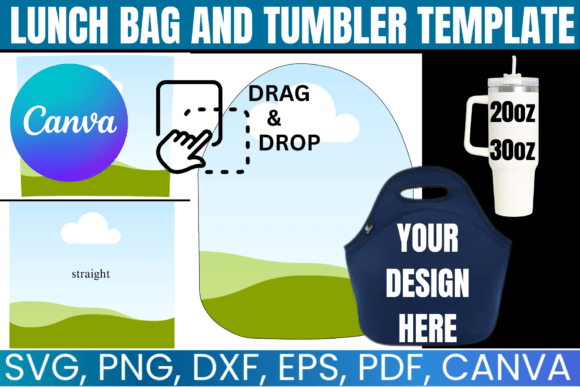
When we talk about the visual personality of this template bundle, we are discussing precision and adaptability. The core appeal lies in the "blank canvas" nature of the assets. The included SVG, PNG, and DXF files are crafted with clean lines and exact dimensions, specifically tailored for the standard 20oz and 30oz skinny tumblers that dominate the market, as well as standard lunch tote sizes.
The visual style is utilitarian yet modern. The templates often feature subtle guidelines or registration marks that help you align your artwork perfectly, ensuring that a stripe wraps around the tumbler seamlessly or that a monogram sits dead-center on a lunch bag. For the designer, this professional structure is vital. It removes the guesswork from packaging design and allows the creativity to focus purely on the artwork rather than the technical constraints of the vessel. The aesthetic is clean and uncluttered, providing a professional foundation whether you are using a sans serif font for a modern, minimalist look or a script font for a whimsical, personal touch.
Where Function Meets Creativity: Practical Applications
The true value of a premium font or template is measured by its versatility, and this collection excels across multiple platforms. The integration of a Canva link is a game-changer for those who are not deep into the Adobe ecosystem. It allows for drag-and-drop editing, making it accessible for content creators, bloggers, and entrepreneurs who need to mock up designs quickly.
For brand identity projects, consistency is key. Imagine a small business owner launching a new line of hydration accessories. Using these templates ensures that the branding on the 20oz tumbler matches the 30oz version and the accompanying lunch tote perfectly. This uniformity builds brand recognition. Whether you are designing for a corporate wellness gift, a bachelorette party, or a seasonal drop for your Etsy shop, the structural integrity of the templates ensures your design assets translate perfectly to the physical product.
Furthermore, the inclusion of SVG and DXF files makes this compatible with major cutting machines like Cricut and Silhouette. This is essential for print-and-cut workflows. If you are creating decals or using printable heat transfer vinyl, these files provide the exact cut lines you need. This isn't just for tumblers; it extends to social media graphics as well. You can use the templates to create realistic mockups for your Instagram feed, showing customers exactly what the final product will look like before they buy.
Optimizing Your Workflow and Typography
Choosing the right template is only half the battle; pairing it with the right typography is where the design comes to life. When working with the curved surface of a tumbler or the textured surface of a lunch bag, readability is paramount. A highly ornate handwritten font might look beautiful on a flat screen but can become illegible when sublimated onto a curved, stainless steel surface.
When using the Lunch Bag and 20oz, 30oz Canva Template, consider how the text interacts with the physical product. For tumblers, bold display fonts or sturdy serif fonts often hold up better visually because they have enough mass to remain readable from a distance. For lunch totes, which are often viewed up close, you have more freedom to use delicate script fonts or detailed editorial design layouts.
Here is a practical tip for evaluating your project fit: Always print a test strip. Even though the Canva templates are dimensionally accurate, every printer and heat press behaves slightly differently. Use the "flatten" feature in your design software to merge your text and graphics before exporting to PNG. This ensures that your font pairing stays locked in place and doesn't shift during the transfer process.
Maximizing the Bundle: Files and Compatibility
This collection is built for the modern creative professional who uses a variety of tools. The versatility of having SVG, PNG, and PDF formats means you are never locked into one software. If you prefer the precision of Adobe Photoshop or CorelDraw, the vector files allow for infinite scaling without loss of quality. If you are a hobbyist using free tools like Inkscape, the SVGs open seamlessly.
The commercial license is a significant advantage. It allows you to create physical products for sale, turning your designs into tangible revenue streams. However, it is important to respect the licensing terms: the digital files themselves cannot be shared or resold. This protects the value of the asset for all users.
For those just starting, the "Instant Access" feature means you can download the files immediately after purchase. There is no waiting for shipping. You can start designing your logo design application or custom artwork right away. The lifetime access ensures that as you refine your skills or upgrade your hardware, these templates will remain a staple in your digital library.
Ultimately, the Lunch Bag and 20oz, 30oz Canva Template is about removing barriers. It allows you to focus on the creative aspect of modern typography and graphic design, rather than getting bogged down by the technicalities of product dimensions. Whether you are a seasoned graphic designer or a new small business owner, these templates provide the professional foundation needed to create high-quality, consistent, and market-ready products.