Professional Team Backdrops: Editable Media Day Canva Templates
Every sports organization, from the youth league to semi-professional clubs, faces the same annual hurdle: Media Day. It is the one time of year where you need to consolidate your entire brand identity—roster, sponsors, and team spirit—into a cohesive visual format for trading cards, programs, and social media. Historically, achieving that polished, "big league" look required hiring a graphic designer or mastering complex software like Photoshop. However, the rise of accessible design tools has shifted the landscape. The Editable Media Day Backdrop Template market is exploding, offering a bridge between amateur efforts and professional results, specifically through platforms like Canva. These templates are not just digital files; they are strategic design assets that allow teams to maintain brand consistency without the overhead of custom design work.
The Anatomy of a Professional Sports Backdrop
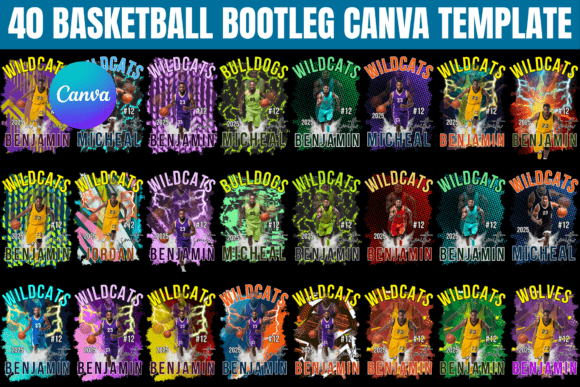
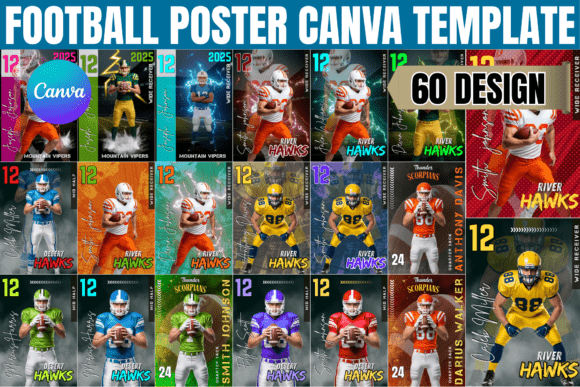
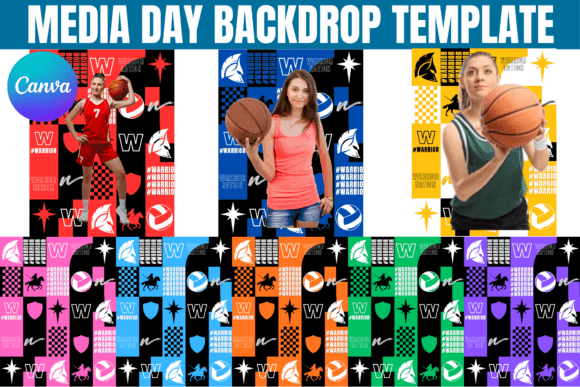
When we talk about a Media Day Canva Design for Sports, we aren't just discussing a static image with a logo slapped in the corner. A high-quality template is built on the principles of visual hierarchy and modern typography. Visually, these templates often feature dynamic elements—abstract geometric shapes, textured grunge overlays, or clean, high-contrast backgrounds that mimic stadium lighting. The "personality" of these designs needs to match the intensity of the sport. A basketball template might utilize bold, angular lines and aggressive color palettes to suggest speed and power, while a baseball template might lean into classic serif typography and traditional color blocking.
The true value lies in the composition. A well-designed backdrop ensures that when a photo is taken in front of it, the text and graphics do not compete with the athlete. This is where design assets come into play. The templates usually include designated zones for the team name, the season year, and sponsor logos. By using a structured editable Canva template, you ensure that the "bleed" areas are correct and that the focal point remains where it should be—on the players. It transforms a simple photoshoot into a branding event, ensuring that every image captured looks like it belongs on a trading card or a sports news website.
Customization: From Template to Team Identity
The "editable" nature of these templates is their strongest selling point, but it requires a strategic approach. When you download an Editable Media Day Backdrop Template, you are essentially buying a skeleton. The flesh—the colors, fonts, and specific imagery—needs to be customized to fit your brand identity. This is where the designer or team manager steps in.
First, consider your color psychology. Does your team play in dark, intimidating colors like deep navy and black, or bright, energetic colors like yellow and red? The template should be easy to adjust. In Canva, this usually involves selecting the background layers and inputting your specific Hex codes. Next, look at the typeface choices included. A strong sports backdrop often utilizes a combination of a heavy display font for the team name and a clean sans serif font for smaller details like the year or "Media Day" text. If the template uses a premium font that requires a Canva Pro account, and you are a free user, you can easily swap it out. Look for free alternatives in the "Headings" tab of Canva that share similar traits—perhaps a bold slab serif or a condensed sans-serif—to maintain that professional weight without breaking the bank.
Practical Application: Beyond the Photoshoot
While the primary use case is the physical backdrop for photography, the versatility of these Canva designs for sports extends much further. Once you have customized the template, you have created a master graphic that can be repurposed across various channels. This is a crucial step for content creators and marketers looking to maximize the utility of their digital download.
For instance, the same design used for the 8-foot physical banner can be resized for social media graphics. Use the "Magic Resize" feature in Canva to adapt the backdrop into an Instagram Story background or a Facebook Event cover. This ensures that your digital presence matches the physical aesthetic of Media Day, reinforcing brand consistency. Furthermore, the design elements can be stripped down to create web design assets for the team's roster page or integrated into packaging design for merchandise boxes. The goal is to treat the backdrop not as a one-off print item, but as a central hub for your season's visual storytelling.
Evaluating Quality and Licensing
For entrepreneurs and small business owners running printing shops or photography studios, sourcing these templates is about more than just aesthetics; it’s about workflow efficiency. When evaluating an Editable Media Day Backdrop Template, pay close attention to the file structure. A high-quality file will be organized into labeled groups or pages, making it easy to navigate complex layers.
However, the most critical aspect to review is the licensing. As noted in the product descriptions, these templates are typically for personal or team use only. If you are a photographer or a print shop, you generally cannot buy one template and use it to create backdrops for multiple different clients. That constitutes redistribution. You need to ensure that the usage rights align with your business model. Additionally, while the templates provide the graphics, you are responsible for ensuring that any logos or sponsor marks you upload do not infringe on existing copyrights or trademarks.
Ultimately, the rise of editable Canva templates has democratized editorial design for the sports world. It allows teams to project an image of professionalism and cohesion that was previously reserved for those with deep pockets. By focusing on high-quality templates and taking the time to customize them thoughtfully, you can turn a standard Media Day into a powerful branding opportunity that resonates with fans, sponsors, and players alike.